3D PC part size comparison guide
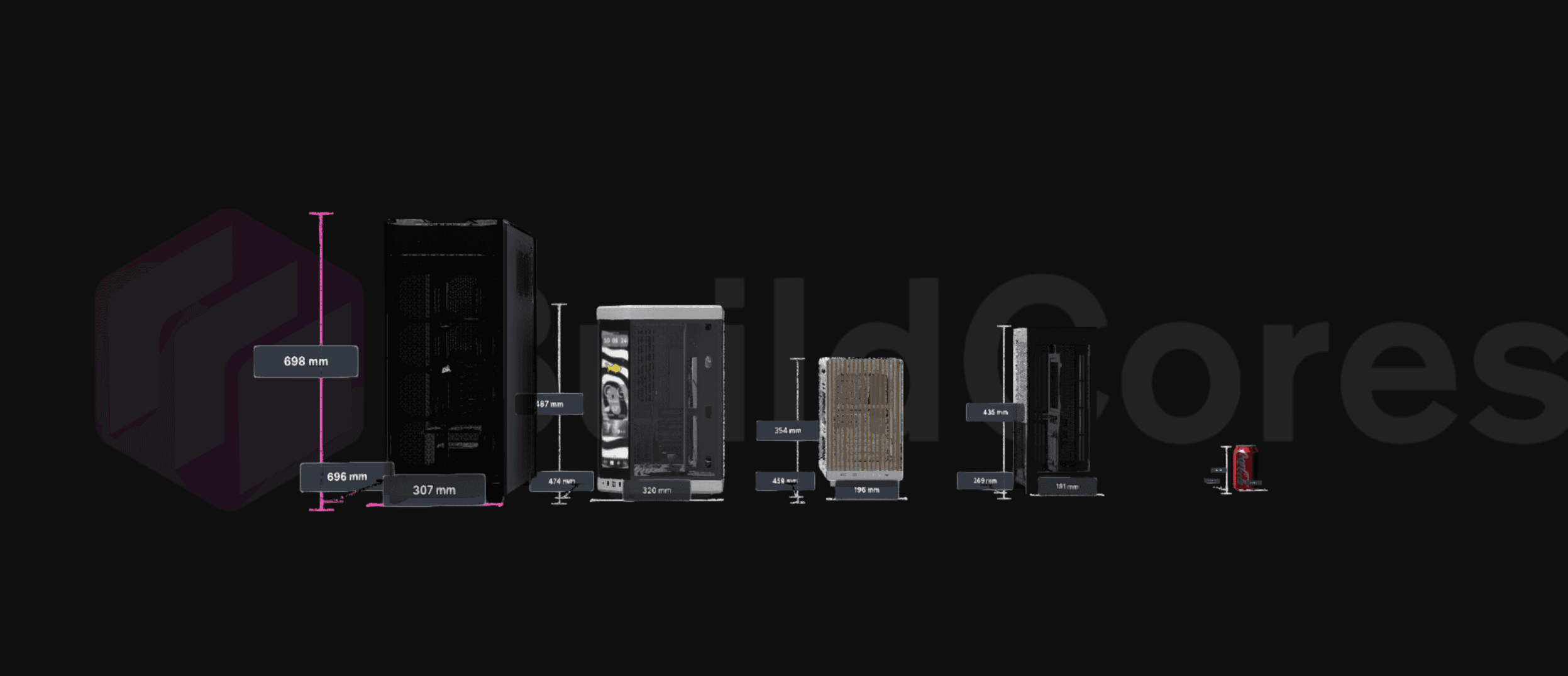
Use BuildCores to compare supported PC parts and setup products side by side. Check size, dimensions, fit context, specs, and pricing before opening the full comparison tool.
Why builders use it
BuildCores keeps the planning tools close to the parts list, so you can check the build, change a part, and keep going without rebuilding the plan somewhere else.
Size comparison
Compare real product scale for cases, GPUs, coolers, monitors, desks, chairs, peripherals, and setup accessories.
Category-specific views
Start directly from the part category you care about, then add supported 3D models for a focused comparison.
Specs next to visuals
Use the 3D view with specs, fit context, and price data so comparison is not only a static dimensions table.
Where it fits in BuildCores
Use these tools while you are choosing parts, checking the 3D view, comparing prices, or planning the desk around the PC.
Search by the comparison you actually need
Jump into GPU size comparison, PC case size comparison, monitor comparison, desk comparison, or any supported category from one page.
Use it with the full builder
After narrowing the category, bring the part back into a PC build or setup plan to check compatibility and layout.
Share the chosen comparison
Comparison links can preserve selected parts so another builder can inspect the same side-by-side view.
Supported 3D comparison presets
Start with a renderable part type, then add supported models inside the comparison tool.
Compare Cases in 3D
Compare PC case sizes, dimensions, footprint, radiator room, and component scale in one view.
Open presetCompare Motherboards in 3D
Compare motherboard form factors and board scale before planning a build.
Open presetCompare GPUs in 3D
Compare GPU length, thickness, slot size, and visual scale before choosing a card.
Open presetCompare RAM in 3D
Open the 3D comparison tool with ram selected.
Open presetCompare Power Supplies in 3D
Open the 3D comparison tool with power supply selected.
Open presetCompare CPU Coolers in 3D
Compare tower cooler height, AIO radiator scale, and cooler fit context.
Open presetCompare Case Fans in 3D
Compare fan sizes, packs, and visual scale for case airflow planning.
Open presetCompare Desks in 3D
Compare desk size, surface space, and setup footprint around the PC.
Open presetCompare Chairs in 3D
Compare chair scale and setup fit alongside desk and room planning.
Open presetCompare Mousepads in 3D
Compare mousepad sizes against keyboards, mice, monitors, and desk space.
Open presetCompare Stands in 3D
Compare stand size and placement for displays, laptops, and accessories.
Open presetCompare Lighting in 3D
Open the 3D comparison tool with lighting selected.
Open presetCompare Prebuilt Desktops in 3D
Open the 3D comparison tool with prebuilt desktop selected.
Open presetCompare Laptops in 3D
Open the 3D comparison tool with laptop selected.
Open presetCompare Monitors in 3D
Compare monitor sizes and display scale for a desk or gaming setup.
Open presetCompare Keyboards in 3D
Open the 3D comparison tool with keyboard selected.
Open presetCompare Mice in 3D
Open the 3D comparison tool with mouse selected.
Open presetCompare Microphones in 3D
Open the 3D comparison tool with microphone selected.
Open presetCompare Headphones in 3D
Open the 3D comparison tool with headphones selected.
Open presetCompare VR Headsets in 3D
Open the 3D comparison tool with vr/xr headset selected.
Open presetCompare Speaker in 3D
Open the 3D comparison tool with speaker selected.
Open presetCompare Webcams in 3D
Open the 3D comparison tool with webcam selected.
Open presetCompare Accessories in 3D
Open the 3D comparison tool with accessory selected.
Open preset3D PC Part Comparison FAQ
What can I compare in the BuildCores 3D comparison tool?
You can compare supported PC components and setup products such as cases, GPUs, coolers, monitors, desks, chairs, peripherals, and accessories.
Is this only for PC case and GPU size comparison?
No. Case and GPU size comparison are common uses, but the page links every supported part category into the same 3D comparison tool.
Does 3D comparison replace compatibility checks?
No. Use it to understand size and visual scale, then use the BuildCores builder for full compatibility, pricing, and build context.
Explore more BuildCores features
The other feature pages cover nearby steps builders often check before they buy.
PC Case Size Comparison
Compare PC case sizes in 3D with dimensions, footprint, GPU clearance context, cooler clearance context, and side-by-side case scale before choosing a chassis.
ExplorePC Fan Simulator
Use BuildCores as a PC fan simulator to preview case airflow, fan direction, radiator placement, and cooling layout in a 3D PC build.
ExploreRGB Simulator
Preview RGB PC lighting in 3D with SignalRGB effects, custom colors, brightness controls, and lighting zones before buying parts.
ExplorePC Price Comparison
Compare PC part prices from multiple retailers, review regional availability, track price history, and keep build totals current in BuildCores.
ExploreSetup Builder
Plan a complete gaming setup with PC builds, desks, monitors, peripherals, and accessories using BuildCores and Setup Builder.
Explore